











How U.S. expats can access and manage their Social Security accounts online from anywhere in the world
Editor’s note: This the second in a series of three articles covering the most important things you want to know about collecting your U.S. Social Security while living in Ecuador.
By Carolyn V, Hamilton
A Guide for Online Access to Your Social Security Benefits
The internet can be your best friend when you want to monitor and manage your Social Security account while living abroad.
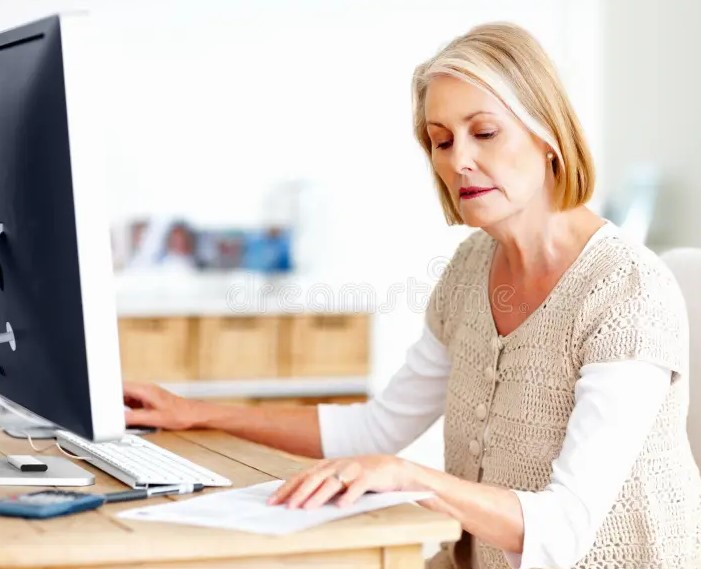 Today, so many things can be managed online, and the U.S. Social Security Administration makes it easy, even for those of us “of a certain age.”
An online account with SSA gives you numerous benefits, whether you are currently receiving benefits or not. It provides personalized tools and secure access to important information.
You can view your Social Security statement to verify your earnings record, see estimates of Social Security and Medicare taxes you’ve paid, and get estimates of future benefits. You can request a replacement Social Security card or a replacement Medicare card. You can also get a replacement SSA-1099 or SSA-1042S for the past six years benefits were paid.
No more waiting for snail mail!
You can opt to receive notices online, such as your Cost of Living Adjustment (COLA) notice. You can also sign up for email or text to alert you when a notice becomes available.
You can even change where you want your benefit payment deposited (direct deposit). If you change your address or phone number, that can be updated in your account online as well.
If you work and receive Social Security Disability Insurance (SSDI) benefits and/or Supplemental Security Income (SSI) payments, you can report your wages in your online account.
A growing number of forms are available online, and you can submit them without needing to mail them. This is a huge advantage when you live abroad.
The “security” in Social Security
Having a “My Social Security” account at ssa.gov also helps protect you from fraud. Setting up your own account is a proactive measure to prevent others from creating fraudulent accounts in your name, even if they have access to your Social Security number.
The account employs robust security measures, including multifactor authentication (MFA), which requires both a username/password and a one-time security code sent to your phone or email for login.
This layered protection helps safeguard against unauthorized use and potential identity fraud.
The Social Security Administration collaborates with secure credential service providers Login.gov and ID.me to verify your identity and provide secure access to your information.
These measures give you control over your data while keeping it private and protected.
How to set up your social security account online
Go to www.ssa.gov/myaccount and click on the “Create an Account” button.
You’ll have two security options to choose from to use to create your account: Login.gov or ID.me.
Login.gov is a U.S. government-operated service that allows you to access multiple government agencies and services with a single account. It uses traditional methods like government records and credit reports for identity verification, and doesn’t require face detection or photo uploads.
ID.me is a private company that meets U.S. government identity verification requirements and works with several federal and state organizations. It may ask you to upload a selfie and your driver’s license for verification.
Which one to choose?
Both services are free, and setting up accounts with both can provide backup access if one system is down. Ultimately, both options are secure and accepted by the SSA.
If you choose login.gov, click “Create an account” or “Sign in with Login.gov
- Enter your email address and select your language preference
- Create a strong password and set up two-factor authentication
- Provide personal information to verify your identity
- You’ll receive an activation code to complete the process
If you choose ID.me:
- Click “Sign in with ID.me”
- Enter your email address and create a password
- Follow the prompts to verify your identity
If you do not have a U.S. Magic Jack telephone number and you want to register using your Ecuador cell number, you’ll want to follow these steps to ensure your international phone number is accepted by ID.me.
- When setting up your account, select the option “I don’t live in the United States” when prompted.
- During the multi-factor authentication (MFA) setup, ID.me accepts international phone numbers, so you can enter your non-U.S. number without issue.
- Make sure to use your personal phone number, not a shared one. ID.me will send a verification code to your phone.
- If you encounter any problems with your international number, you can choose alternative MFA options. ID.me offers various MFA methods, so you can select one that works best for your situation.
- In case you still face difficulties, you can opt for the video call verification process, where you can explain your international status to an ID.me agent.
To prepare for ID.me verification as an overseas resident, you’ll need to gather the following documents:
- Primary identification document (at least one of the following):
- Valid passport
- Driver’s license (if available)
- Other government-issued photo ID
- Secondary identification document (at least one of the following):
- Social Security card
- Utility bill
- Bank statement
- Proof of address:
- Recent utility bill or bank statement showing your current overseas address
- Additional documents that may be required:
- Proof of Social Security number
- U.S. passport
You’ll want to be sure all your documents are original and not expired.
While ID.me is designed to accommodate users living abroad, many folks find login.gov more intuitive and easier to use.
After creating your account, you’ll need to agree to the My Social Security Terms of Service.
No worries about accessing your ‘My Social Security’ account from overseas.
If you already had a My Social Security account before moving to Ecuador, you’ll need to create a new ID.me credential to use it from an international address. Or, you can simply continue to use your U.S. address.
If you have any difficulty accessing the website from overseas, using a virtual private network (VPN) app might help. (Note: this author does not have a VPN and has never had a problem accessing the account).
Managing your My Social Security account online from Ecuador is quite feasible. Staying connected and informed about your Social Security benefits is crucial, no matter where you are in the world.
_________________
Carolyn V, Hamilton is a best-selling, award-winning, multi-genre author who spent several decades in Las Vegas in the real world of “Mad Men.” She was also the founder of the regional magazine, “Nevada Woman.” She is currently celebrating her 13th year as an expat in Cuenca.



Hogar Esperanza News
The Cuenca Dispatch

Week of August 23

Ecuador’s economy grew 2% during the first half of 2026 compared with the same period a year earlier, according to new Banco Central del Ecuador data.

Cuenca gets a prime view of next week’s deep partial lunar eclipse.

Ecuador’s economy grows 2% in the first half of 2026.
Property Manabi

Nice apartment banner
Fund Grace News

Property Kuralt

Fabianos Pizzeria News